
Find and fix a script error
Make one deliberate spelling error, read TradingView's message, and repair the script without guessing.
Builds on: Numbers, text and inputs


You will deliberately break one name, read the resulting error, and repair it. Learning to make a small recovery is more useful than replacing unrelated lines until the red message disappears.
Use My EMA practice. Keep earlier practice alerts paused. This exercise uses the short, chart-only script from lesson 1; it cannot send alerts.
Begin with a known working script
Section titled “Begin with a known working script”Copy this complete version. In TradingView, open Pine, click inside your code, select all, and paste. Save with Cmd+S or Ctrl+S, then update or add it to the chart.
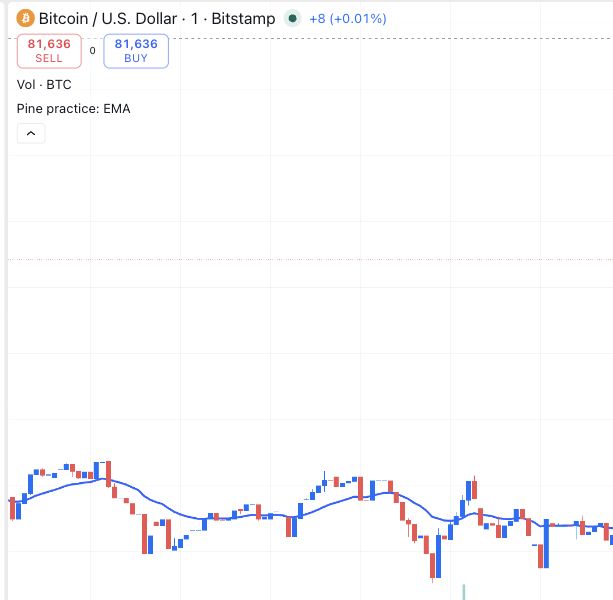
Check before changing anything: the chart shows Pine practice: EMA and its blue line. If it does not, compare your code with the complete version above first.
Make one deliberate error
Section titled “Make one deliberate error”Change lowercase length to uppercase Length
In Pine Editor, find int length = 20. Change only its first l to an uppercase L. Leave the next line unchanged.
Line 5 says int Length = 20, but the next line still refers to lowercase length.
Save and read the error
Click the cloud-shaped Save control, or press Cmd+S or Ctrl+S. Read the red message and the highlighted code.
In this eight-line example, the captured error is Error at 6:27: line 6, character 27.
TradingView reports Undeclared identifier "length" on the line that calculates the EMA.
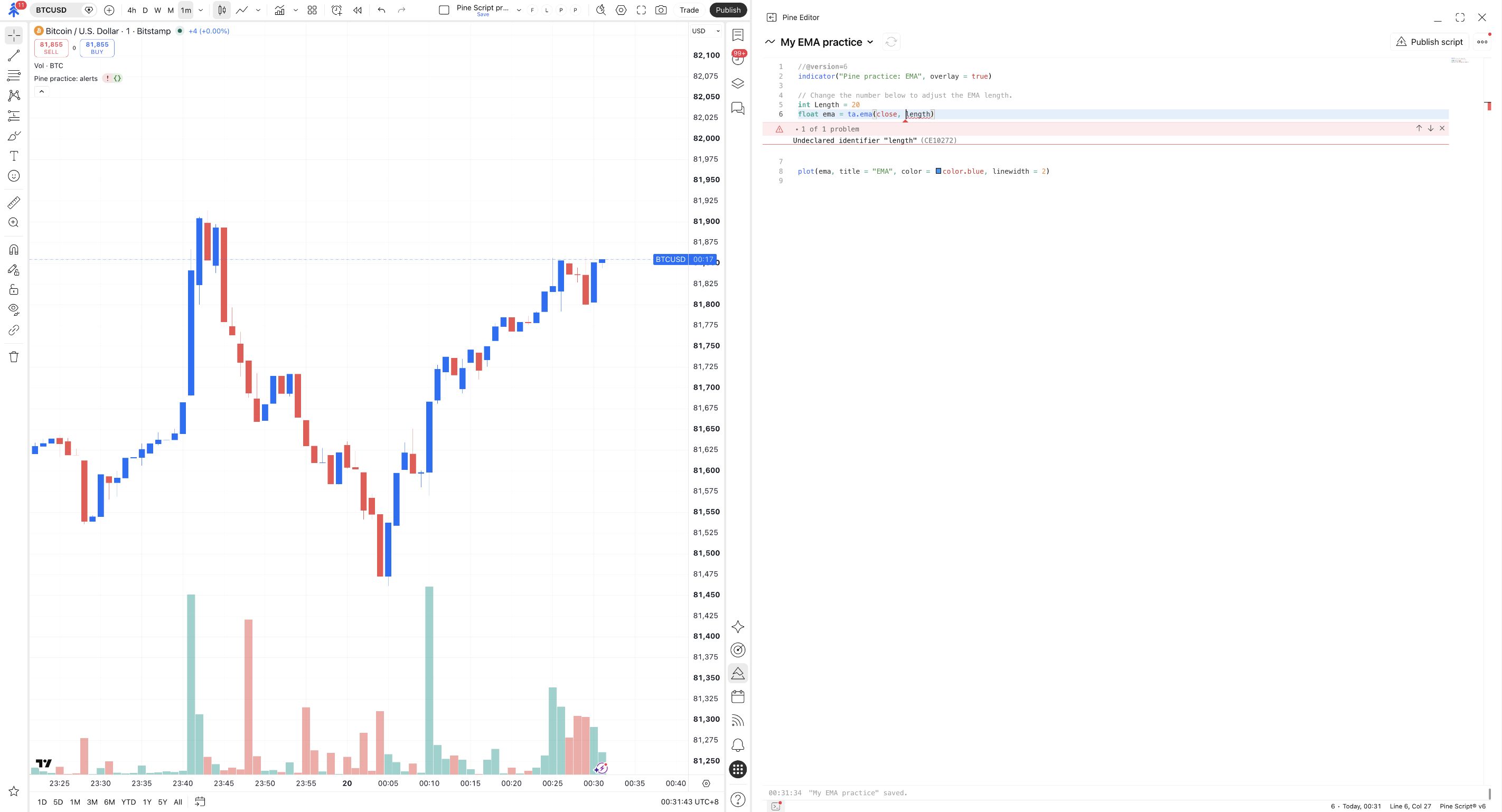
What happened? You defined Length, but the next line asks for length. Pine treats those as different names, so the lowercase name cannot be found.
Saving is not proof of a valid script. TradingView can save the edited file and still fail to compile it. The chart may show an error icon and lose the EMA plot, as it did in this captured exercise.
Repair the cause
Section titled “Repair the cause”Restore the lowercase name
On line 5, change Length back to length. Do not change ta.ema or the other arguments.
Both the declaration and the EMA calculation use lowercase length again.
Save and check both places
Save again. Check the editor for the error, then look at the chart. If an update control appears, apply the corrected script.
The compilation error disappears and Pine practice: EMA draws its blue line again.
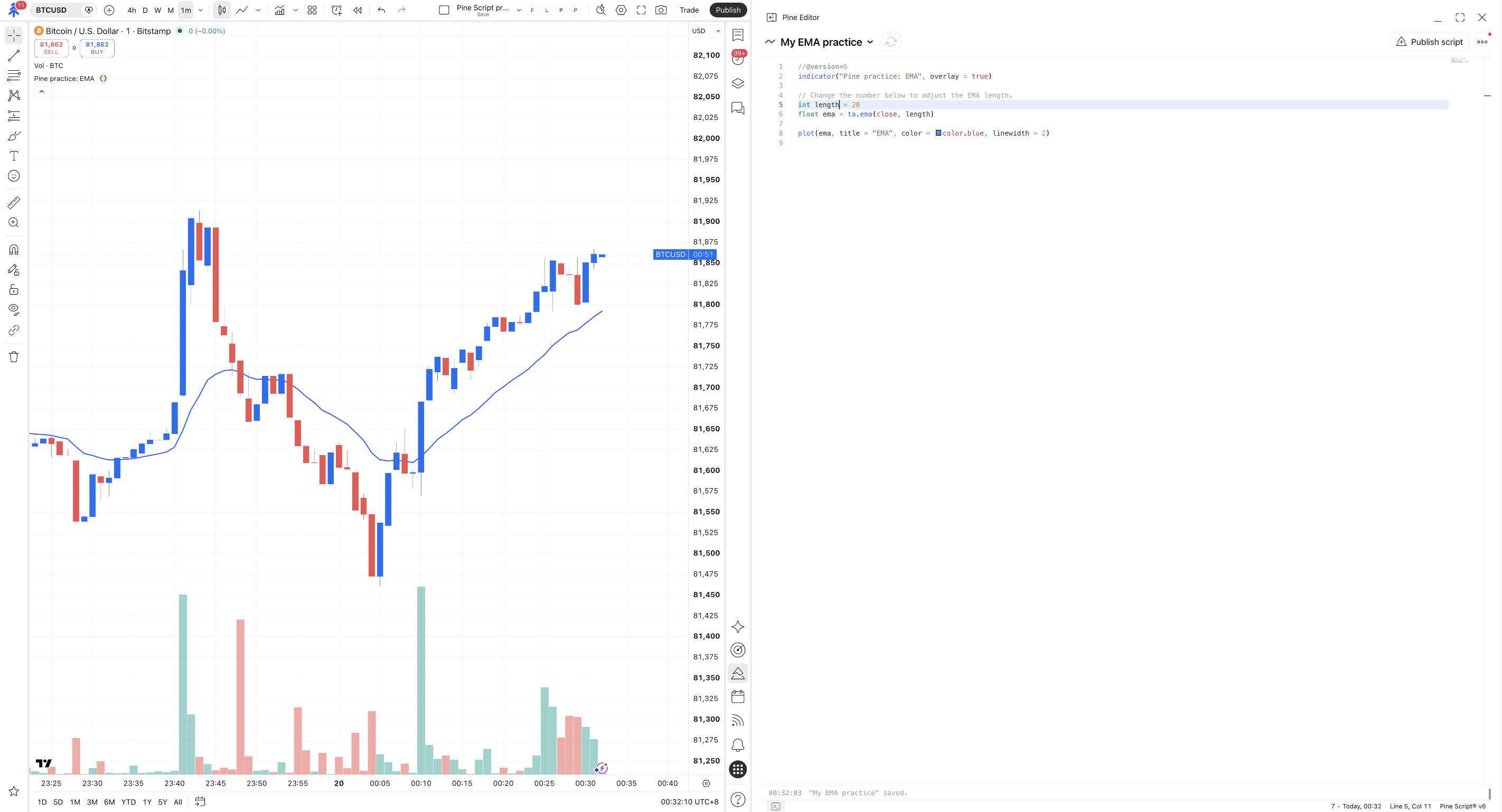
The error pointed to line 6 because that is where Pine tried to use the missing name. The cause was the spelling change on line 5. An error location is a starting point for investigation, not a command to delete that line.
Use the same recovery method next time
Section titled “Use the same recovery method next time”- Read the first error and the line it references.
- Inspect the last small change you made.
- Check spelling, quote pairs, commas, closing brackets and indentation.
- Undo that change with Cmd+Z or Ctrl+Z, or repair it deliberately.
- Save, then check the editor and chart again.
If you have made several changes and cannot find the cause, replace the editor’s full contents with the lesson’s complete script. Make one change at a time from that working version. TradingView’s debugging guide explains further inspection tools.
No red error, but the wrong markers appear? That is a different problem: the code can run, but its rule may not express what you intended. Compare the condition with the chart rather than treating successful compilation as proof of correct behaviour.
Check yourself
Section titled “Check yourself”Question: TradingView says the error is on line 6. Should you delete line 6?
Show the answer
No. In this exercise, line 6 correctly uses length. Restoring the matching declaration on line 5 fixes the cause. Deleting the calculation would create another problem.
Question: The red error is gone. Have you proved that a future PineConnector order will be correct?
Show the answer
No. You have repaired compilation and checked this chart output. Conditions, messages, delivery and the broker result require their own checks.
Leave the short working script on the chart. The next lesson supplies the complete version with an additional filter.