
Add a confirmed higher-timeframe filter
Use a completed 15-minute EMA on a 1-minute chart, understand its delay, and test the guard against an invalid timeframe.
Builds on: Combine conditionsIndicator alert methods


You will add an orange 15-minute EMA to a 1-minute chart, using only a completed higher-timeframe value. A signal will require a confirmed upward cross of the blue chart EMA and a close above that orange value.
Use this lesson when your rule needs another timeframe. You do not need a higher-timeframe filter to use PineConnector.
Before replacing a script, pause its actual saved alerts in TradingView and inspect any open broker positions. Keep this exercise separate from a connected trading script: it contains informational text only, and Enable practice alerts starts off.
Load the chart-only practice example
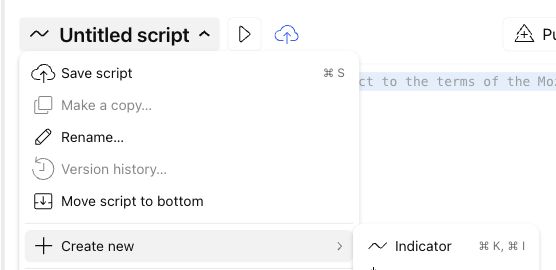
Section titled “Load the chart-only practice example”Use BITSTAMP:BTCUSD, a 1-minute interval and standard Candles. Open Pine Editor and choose Create new → Indicator so your connected script remains separately identifiable. Copy the complete example below, replace the starter code, and save it as My higher-timeframe practice.
Add the indicator and check its inputs
Save with the cloud-shaped control, then click the triangle-shaped Add to chart button. Open the settings gear for Pine practice: confirmed higher timeframe.
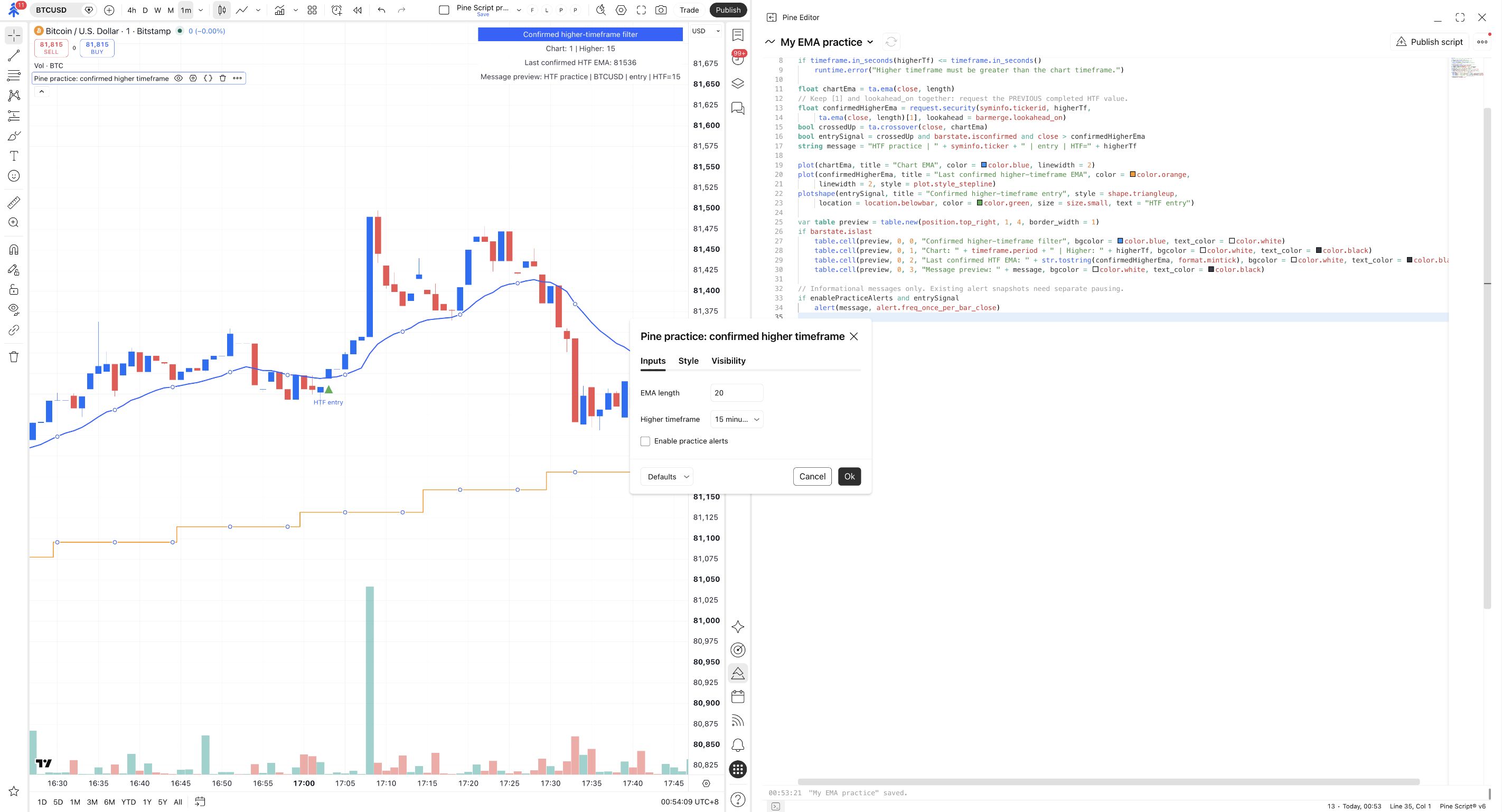
In Inputs, use EMA length = 20 and Higher timeframe = 15 minutes. Keep Enable practice alerts unchecked and click Ok.
The chart uses 1 minute; this indicator's Higher timeframe is 15 minutes and Enable practice alerts is unchecked.
Compare the two EMA lines
Inspect the blue line and orange stepped line. Read the on-chart box to check the selected chart and higher timeframes. Find an HTF entry marker and compare its candle’s close with both lines.
A missing marker can be correct: an upward cross still has to pass the orange-line filter. The message preview does not mean an alert was sent.
The blue EMA follows the chart's bars. The orange line holds a completed higher-timeframe value between its updates.
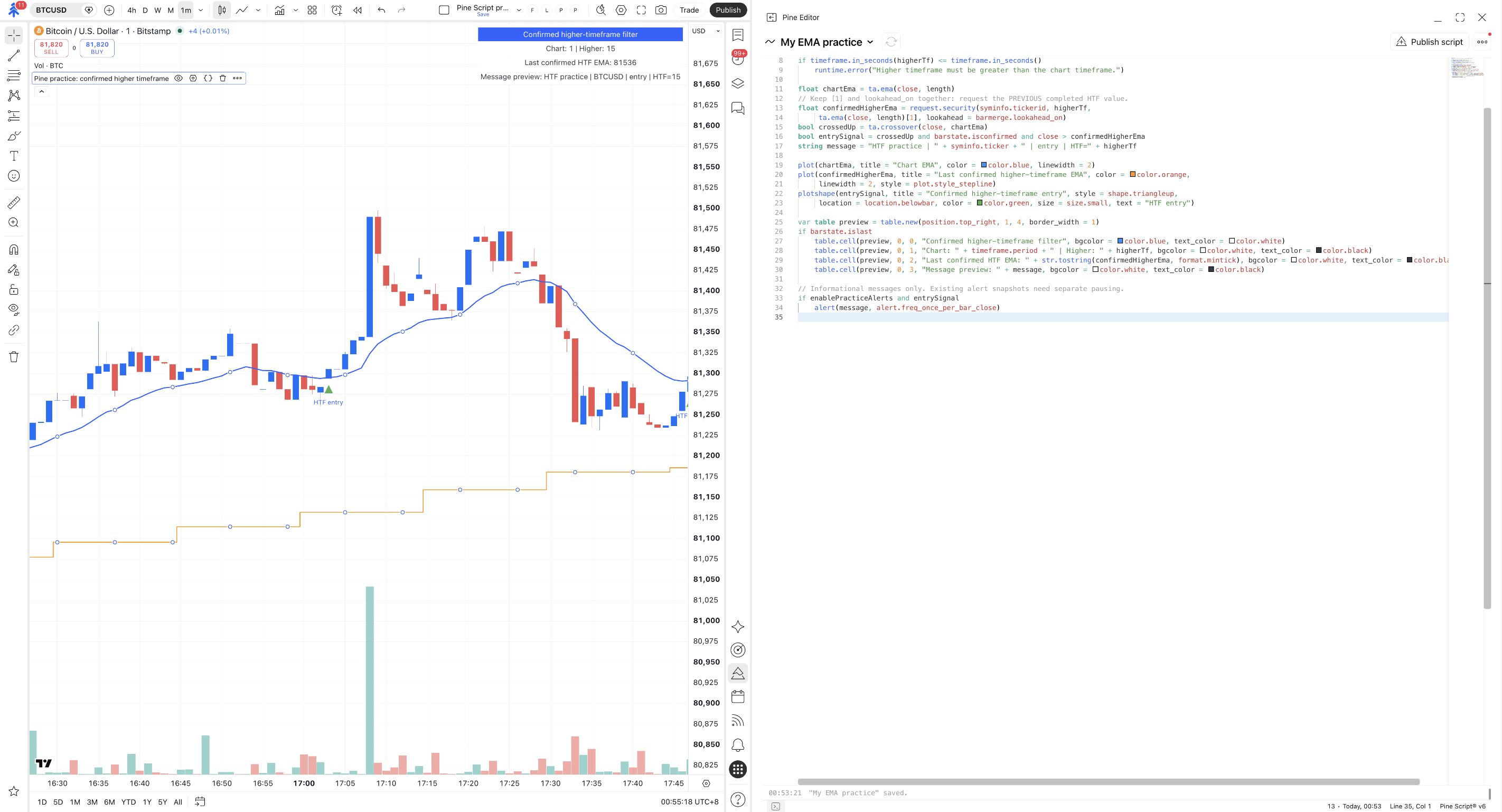
The blue calculation uses 20 chart bars. The orange calculation uses 20 higher-timeframe bars. Changing the timeframe changes the data behind that calculation, even though both lengths say 20.
Keep the two parts of the request together
Section titled “Keep the two parts of the request together”Find this request in the code:
Inside this request, [1] selects the previous higher-timeframe value. Paired with barmerge.lookahead_on, it makes that completed value available consistently from the start of the next higher-timeframe period. Removing the offset while keeping lookahead_on can leak future values into historical results. TradingView’s higher-timeframe guidance
A one-minute candle closing does not confirm an unfinished fifteen-minute candle. Waiting for the chart’s close alone is insufficient when another timeframe supplies unconfirmed data.
The tradeoff is delay: this example deliberately uses the last completed higher-timeframe EMA, not the value still forming. Its orange line updates when another completed higher-timeframe value becomes available. It does not promise that other scripts, data revisions or broker outcomes cannot differ.
Test the timeframe guard
Section titled “Test the timeframe guard”Choose the same timeframe deliberately
Keep the chart on 1 minute. Open this indicator’s Settings → Inputs, change Higher timeframe to 1 minute, then click Ok.
This is a deliberate invalid-input exercise. Open the script’s error indicator to read the message.
The script reports that Higher timeframe must be greater than the chart timeframe.
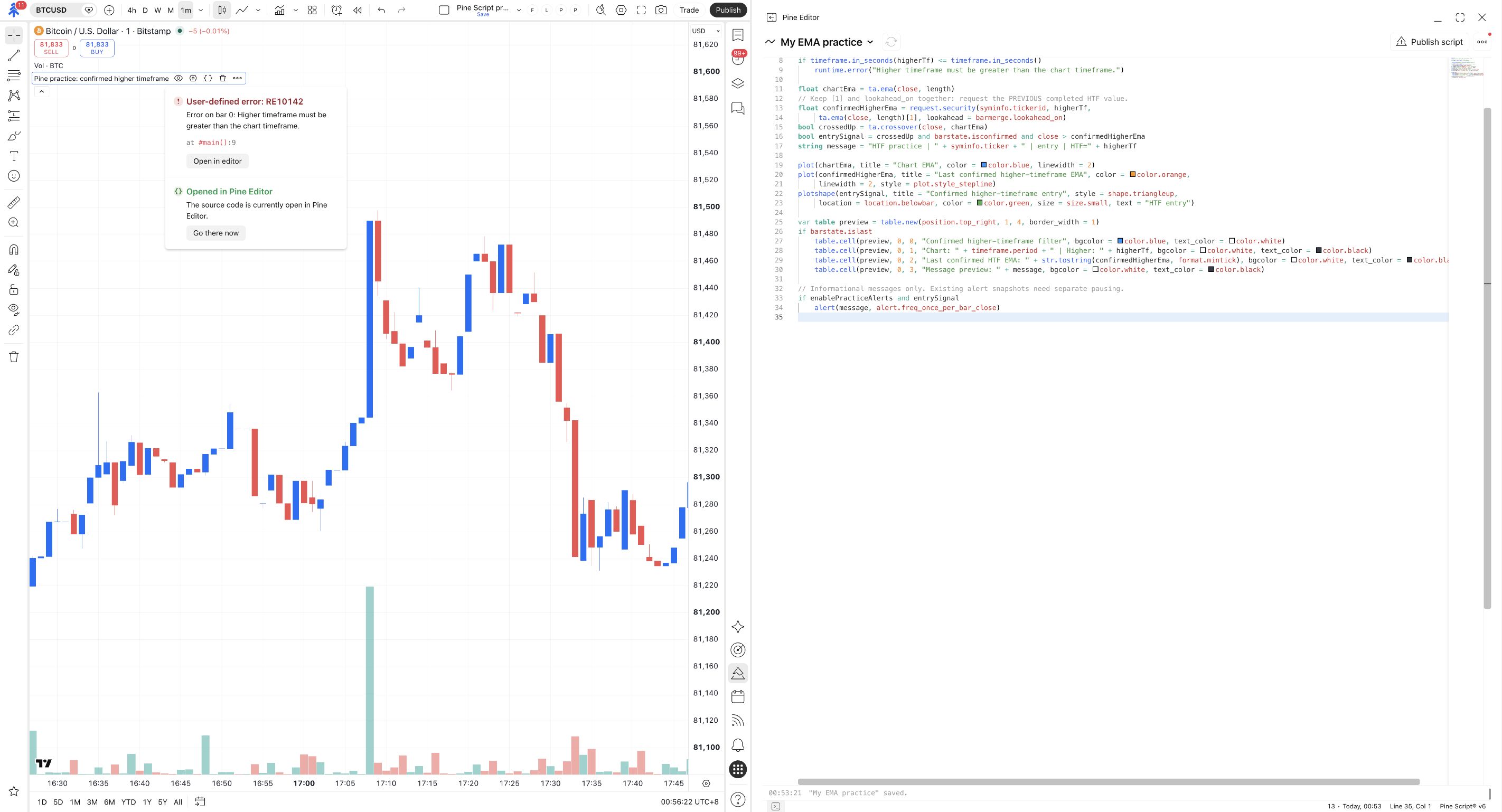
The code compares the intervals as durations. It rejects an equal or lower timeframe instead of silently applying a higher-timeframe recipe to a different case. This is a runtime guard: the source can compile while the selected inputs are unsuitable.
Restore 15 minutes
Reopen Inputs, set Higher timeframe back to 15 minutes, and click Ok. Compare the chart with the valid example above.
Leave Enable practice alerts off. Do not remove the guard to make the error disappear.
The guard error clears and the blue and orange lines return.
Check yourself
Section titled “Check yourself”Question: a one-minute candle has closed, but the current fifteen-minute candle is still forming. Can this script use that unfinished fifteen-minute EMA as its orange value?
Show the answer
No. It requests the previous completed higher-timeframe EMA. The chart’s close does not complete the separate fifteen-minute candle.
Question: would removing [1] make this a faster version of the same trustworthy historical test?
Show the answer
No. With lookahead_on still present, the historical request can use higher-timeframe information before it was available. Keep the pair together and understand the delay it introduces.
Try: set Higher timeframe to 30 minutes, predict which line should change, then restore 15 minutes. The orange calculation changes; the blue 20-bar chart EMA remains on the 1-minute chart.